

Risivo AI OS is live. Get 20% off with code LAUNCH20 until January 15, 2027. See plans →

Projects

Status: Beta

Deliver work on time

Plan projects with tasks and milestones, track time and link each project to the client it’s for.
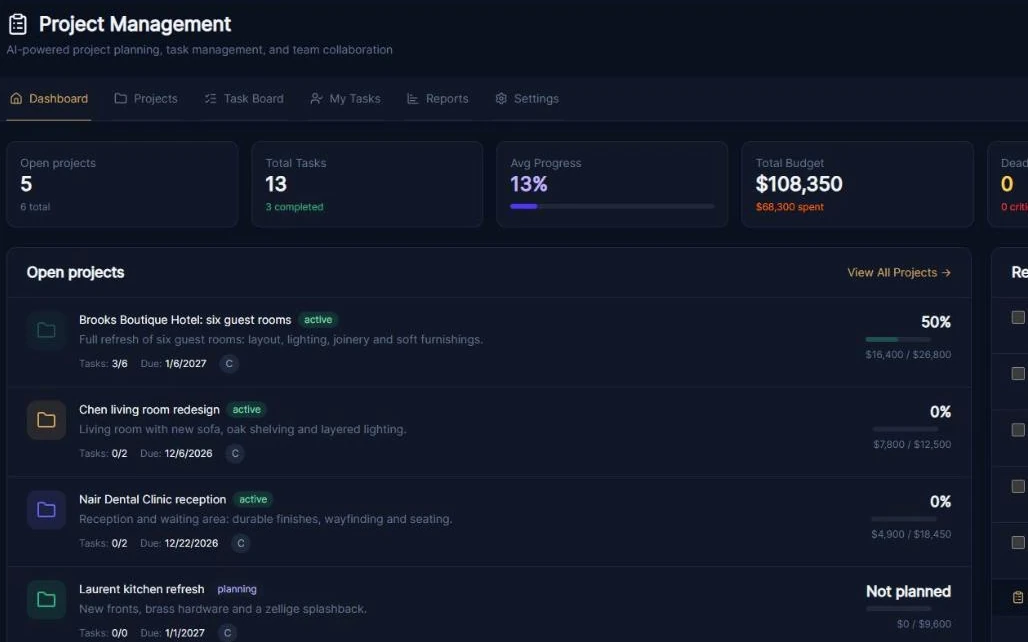
Projects dashboard with budgets and progress

Just ask Risibot

Describe what you need in plain words. Risibot sets it up for you, and nothing runs until you approve it.

You type

“Create a website project for Palm Grove Estate with milestones for design, build and launch”

Risibot builds it, you approve

Risibot creates the project with the three milestones and links it to the client.

Why teams use Risivo Projects

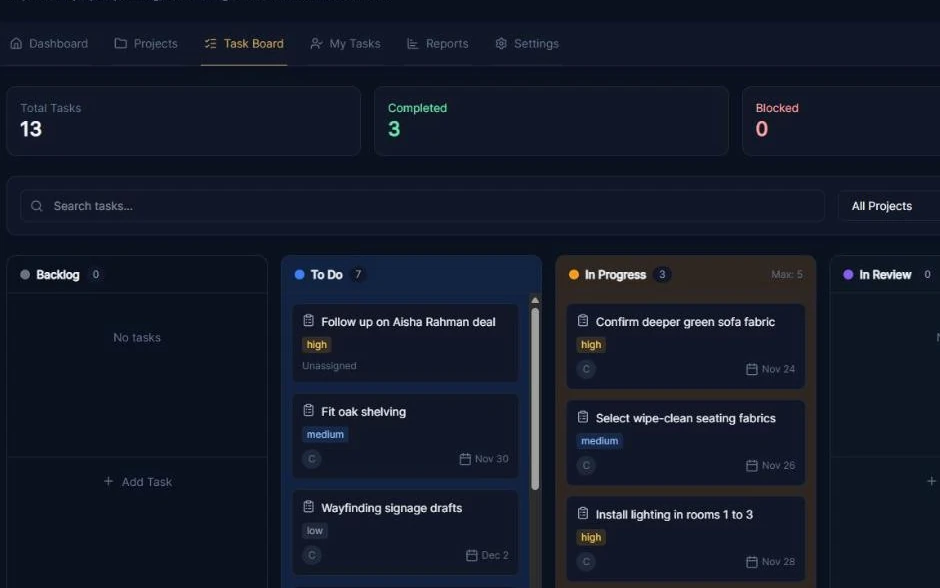
Task board by status

Plan with milestones

Break work into tasks and milestones everyone can follow.
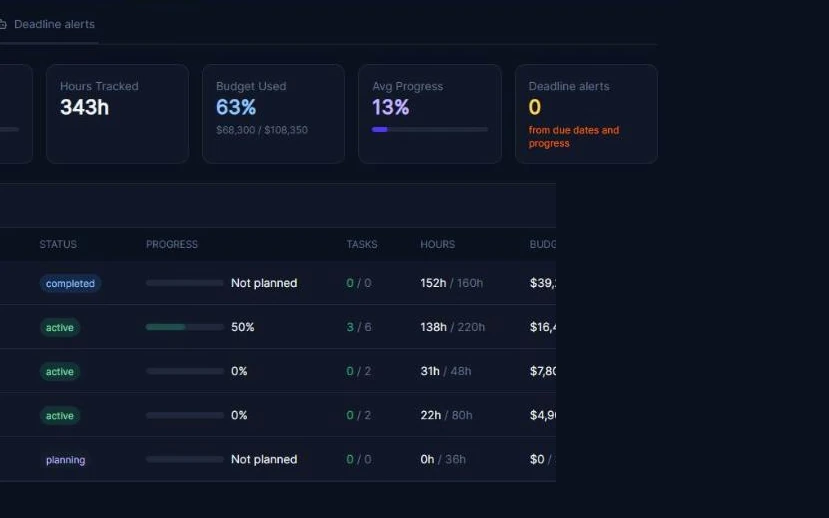
Hours tracked and budget per project

Track your time

Log time against tasks to see where hours go.
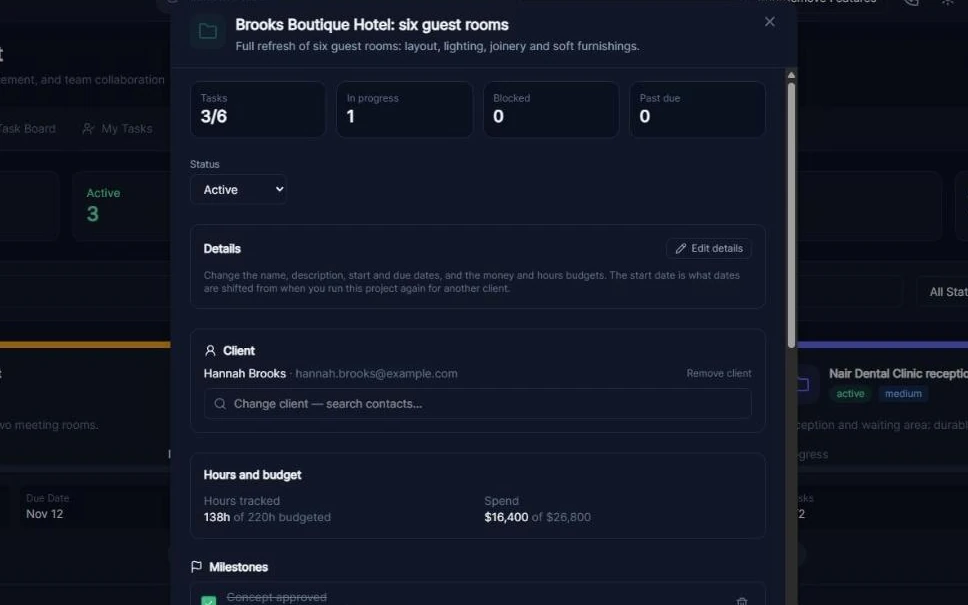
A project linked to its client

Linked to the client

Every project sits next to the client, the deal and the invoices.

One less tool to pay for

Replaces Asana, Trello, Monday.

What’s included

  • Projects
  • Tasks
  • Milestones
  • Time tracking
  • Client links

Connected to the rest of Risivo AI OS

Projects works with your contacts, conversations, workflows and reports, so your team sees the full picture in one place and Risibot can act on it.

Frequently asked questions

How does Risibot help with Projects?

Tell Risibot what you need in plain words, for example: “Create a website project for Palm Grove Estate with milestones for design, build and launch”. Actions that contact customers or spend money wait for your approval.

Can I try Projects before I buy?

Yes. Every plan starts with a 14-day free trial. A card is needed to start, and you won’t be charged if you cancel before the trial ends.

Try Projects with Risibot today

14-day free trial. Cancel before it ends and pay nothing. Launch offer ends January 15, 2027.