
Risivo AI OS is live. Get 20% off with code LAUNCH20 until January 15, 2027. See plans →

Tasks and Reminders in Risivo icon

Tasks & Reminders

Status: Beta

Never miss a follow-up

Give every contact a next step with an owner and a due date, and set private reminders that come back to you at the right moment.
Tasks and Reminders in Risivo screen
Tasks and Reminders in Risivo icon

Just ask Risibot

Describe what you need in plain words. Risibot sets it up for you, and nothing runs until you approve it.

You type

“Remind me to call Olivia about the showroom dates on Monday at 10”

Risibot builds it, you approve

Risibot sets the reminder, links it to Olivia, and it comes back to you on Monday at 10:00.

Why teams use Risivo Tasks & Reminders

Tasks and Reminders in Risivo screen

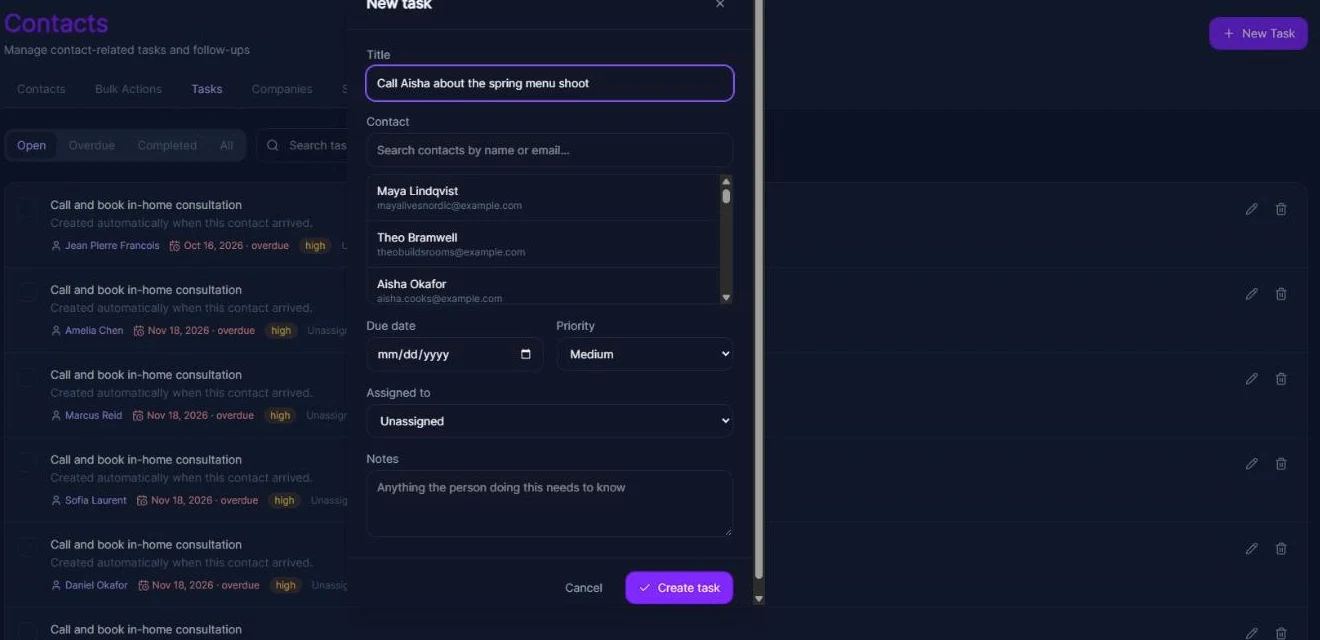
Create a task in seconds

Give it a title, link it to a contact, set a due date and a priority, and assign it to a teammate. It shows up on the contact and in everyone’s task list.
Tasks and Reminders in Risivo screen

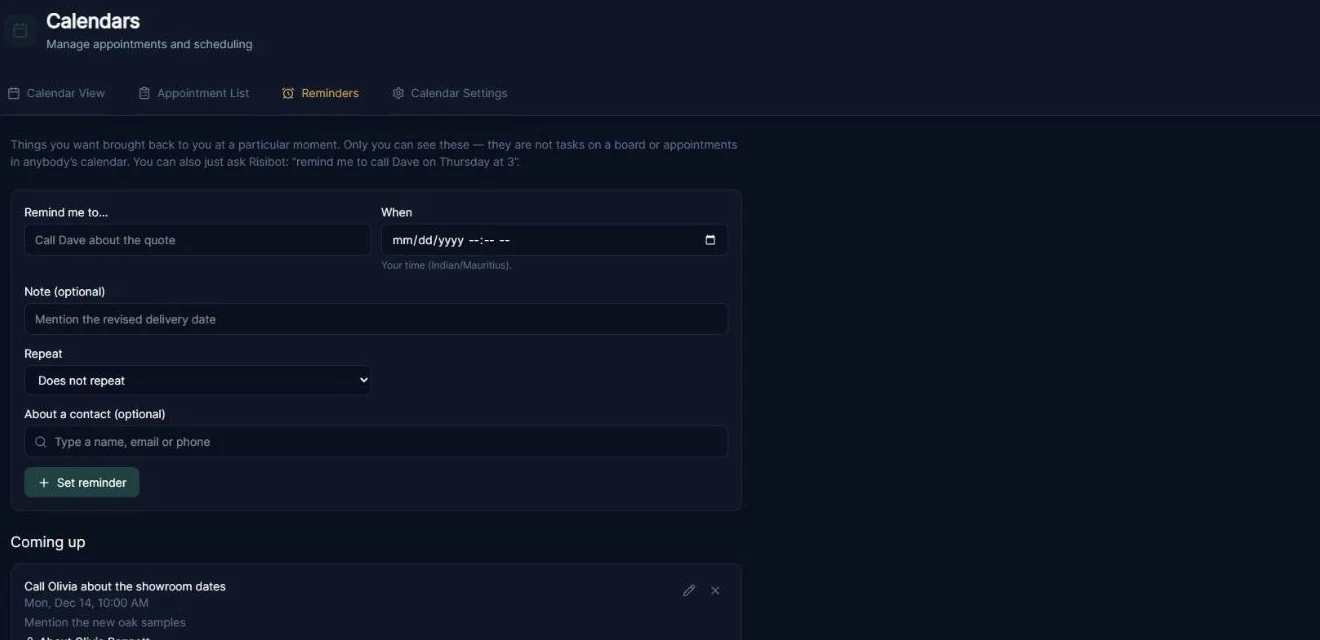
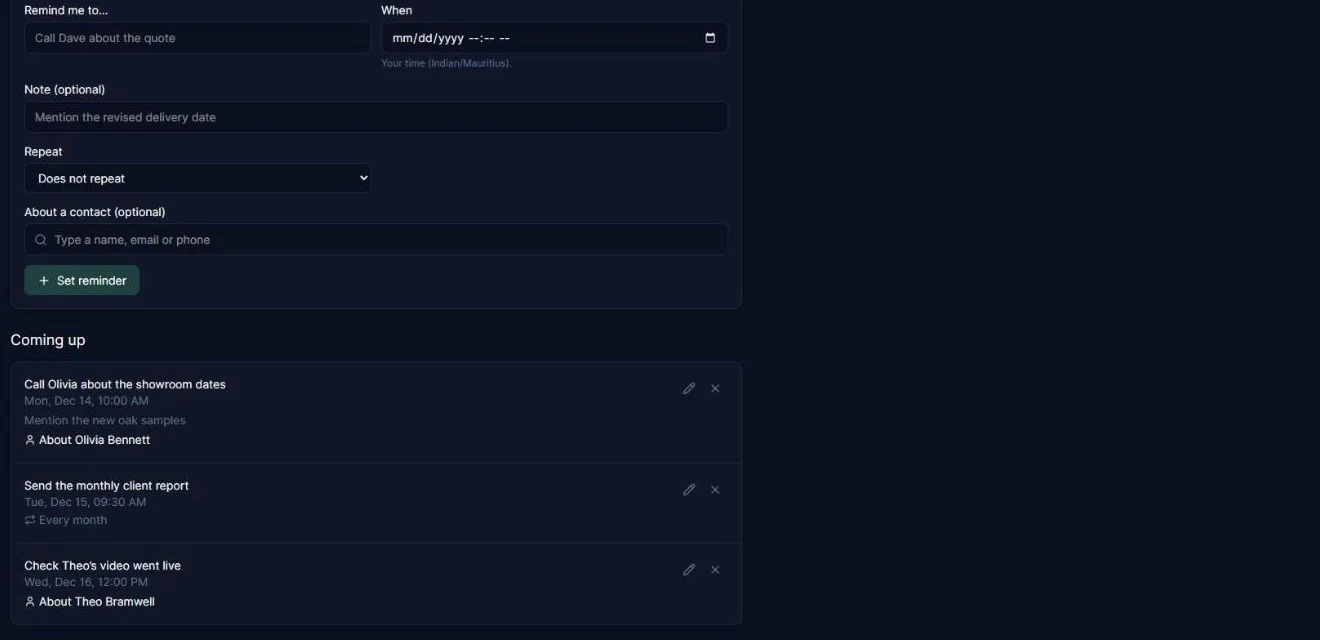
Private reminders, just for you

Set a reminder for any moment, add a note, link it to a contact and repeat it every day, weekday, week, month or year. Only you can see it.
Tasks and Reminders in Risivo screen

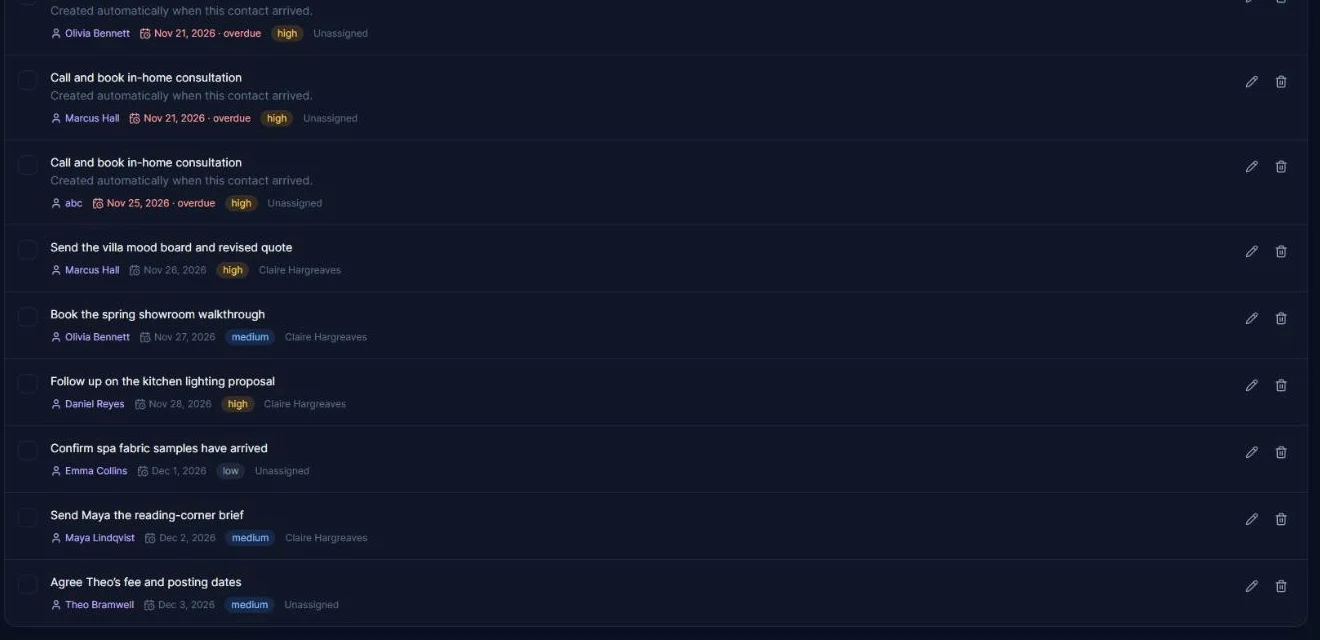
See what’s coming up

Your next reminders are listed in order, with the contact they are about and how often they repeat. Edit or dismiss each one in a click.

One less tool to pay for

Replaces To-do apps, sticky notes, calendar reminders.

What’s included

  • Tasks linked to contacts
  • Owners, due dates and priorities
  • Open, overdue and completed views
  • Task search
  • Tasks created automatically by workflows
  • Private reminders with notes
  • Repeating reminders
  • Reminders about a contact
  • Set reminders by asking Risibot

Connected to the rest of Risivo AI OS

Tasks live on each contact’s record and can be created automatically by workflows, and Risibot can add tasks and reminders from a plain-language request.

Frequently asked questions

Who can see my reminders?

Only you. Reminders are private: they are not tasks on a board or appointments in anybody’s calendar.

How am I reminded?

You get a notification in Risivo at the time you set, following your own notification settings. Reminders are checked every few minutes.

Can reminders repeat?

Yes. A reminder can repeat every day, every weekday, every week, every month or every year.

Can workflows create tasks for my team?

Yes. A workflow can create a task when something happens, for example a call-back task when a new contact arrives, with an owner and a due date.

Can I try it before I buy?

Yes. Every plan starts with a 14-day free trial. A card is needed to start, and you won’t be charged if you cancel before the trial ends.

Try Tasks & Reminders with Risibot today

14-day free trial. Cancel before it ends and pay nothing. Launch offer ends January 15, 2027.